
How to Start an Employee Personnel File Audit: Review Five Files First

If reviewing employee files keeps getting pushed behind daily operations, start with a smaller, defined batch. Choose five files, check them consistently, and give each gap a clear next action.
Five files are a starting point for organizing the work, not a representative sample or proof that the rest of your files are complete. The goal is to learn what needs attention and establish a process your team can repeat.
1. Choose five files and assign a reviewer
Identify the employee records your authorized reviewer will check. Keep a list of which files are in the batch so an unfinished review does not get mistaken for a completed one.
Use your agency's applicable requirements and document controls. Different roles and locations can have different requirements. If you are unsure whether something applies, flag it for verification rather than marking it complete.
Keep employee records within your agency's approved, access-controlled systems. A working audit tracker should not become another place to copy sensitive identity, medical or payroll documents.
2. Check the evidence, not just the folder
Work through the same questions for each applicable item:
Is the document present?
Is it current for the purpose being reviewed?
Is it dated where needed?
Is it signed where needed?
Is there an expiration or renewal date to track?
A file can contain a job description and still need follow-up if a required acknowledgement is missing. Record the specific gap. “Check personnel file” is much harder to act on than “Verify the missing job-description acknowledgement.”
A field you have not reviewed should remain unreviewed. Do not treat a blank, an unresolved question or an incomplete checklist as a pass.
3. Give each correction an owner and target date
Once you identify a gap, decide who will follow up and when. Include enough detail that the next person can understand the action without reopening the entire review.
For a fictional example:
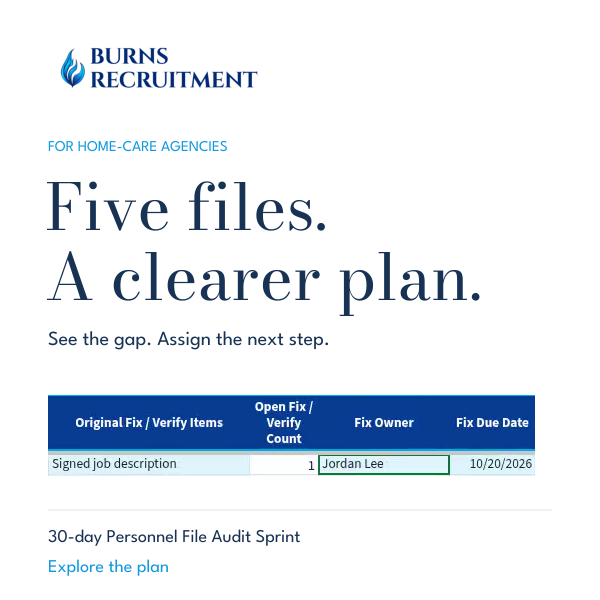
Finding: Job-description acknowledgement is missing a signature. Owner: Jordan Lee, fictional reviewer. Next action: Obtain and verify the appropriate acknowledgement. Target date: A date the responsible person has agreed to.
If several corrections need different owners or deadlines, record those separately in the notes or your agency's action tracker. One broad deadline can hide smaller unfinished tasks.
4. Track upcoming renewals separately from today's corrections
A document can be current today and still need attention soon. Record applicable expiration dates and review the upcoming-renewal list as part of your normal HR routine.
Keep the distinction clear: a missing document is a correction; an approaching expiration is a future action. Both need ownership, but they are not the same problem.
5. Verify the fix, then expand the review
Before closing a finding, check the replacement or corrected evidence. Record what was verified and preserve the original finding and correction history.
Changing a status to “Complete” is not a substitute for checking the underlying record. When your first five files have a clear follow-up plan, apply the same process to the next batch until the intended review is finished.
See the workflow in the Sprint
Our short product demo shows an example finding moving into an owner and target date, using fictional training data. The 30-Day Personnel File Audit Sprint gives home-care agencies a self-guided structure for organizing that work in-house. No employee files need to be sent to us.
This is general workflow guidance, not legal advice, an individual file review or compliance certification. Confirm requirements that apply to your agency and involve a qualified adviser where needed.


Comments